Local-first outbound infrastructure

Cold outreach, under your control.

Generate campaigns with your AI provider, rotate sends across your inboxes, and classify replies on your own machine or server. Mailado never needs a hosted copy of your pipeline.

AI keys
Local
Reply parsing
On-device
Deployment
Desktop or server
Operational viewMAILADO / CORE
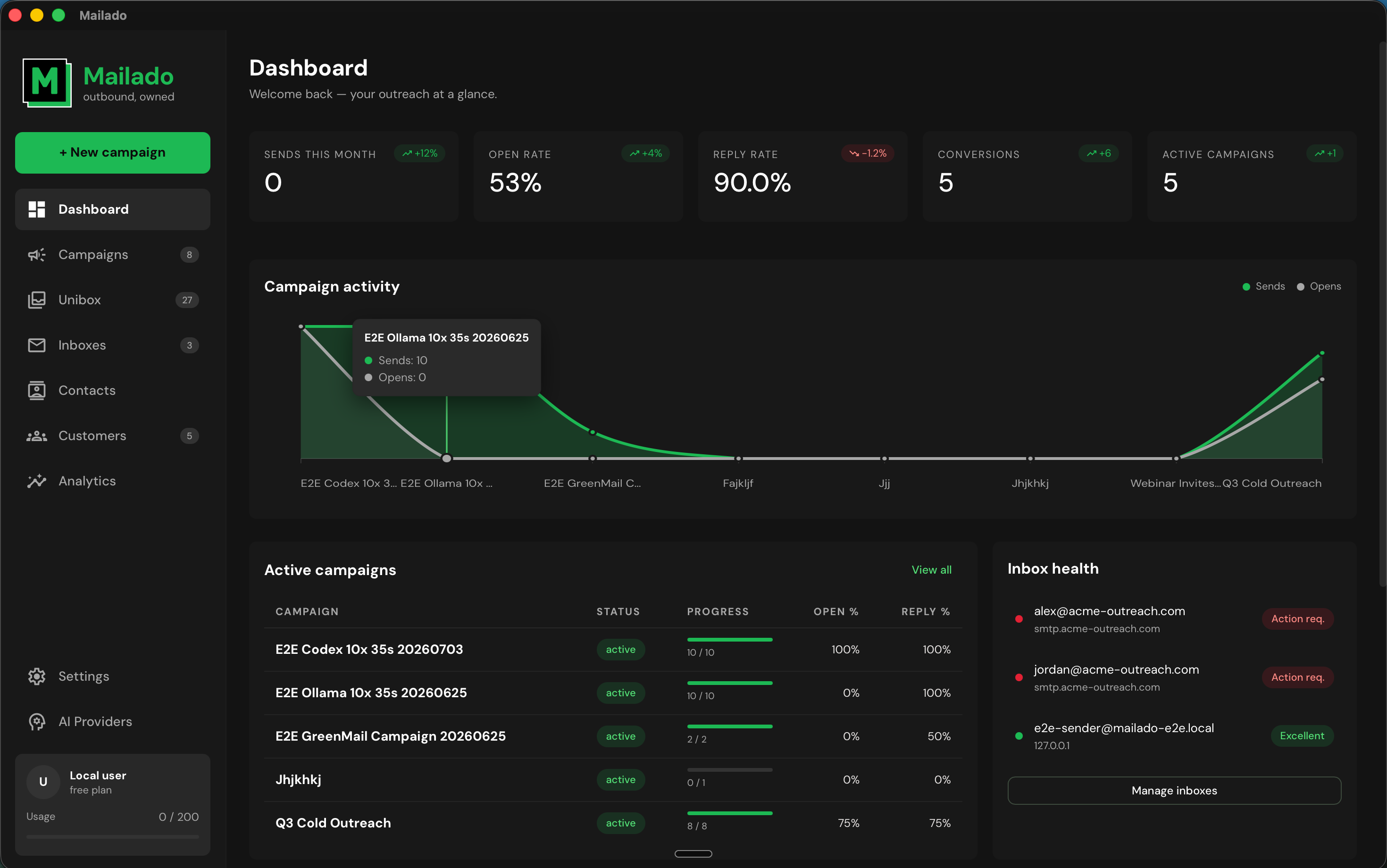
Mailado dashboard showing campaign activity, open and reply rates, active campaigns, and inbox health
Campaign activity, inbox health, and active sequences in one local control plane.

Your provider

Your keys

Your contacts

Your infrastructure

The operating model

One engine for the whole outbound loop.

Set up campaigns, govern sending, triage replies, and hand qualified conversations to your team without stitching together four cloud tools.

01 / CAMPAIGNS

Build once. Run the sequence.

The campaign wizard detects contact variables, builds the prompt, generates every email, and schedules follow-ups. Provider fallback keeps the run moving through rate limits or outages.

  • Bring any models.dev provider
  • Use local agent CLIs without another API key
  • Cancel follow-ups on replies, unsubscribes, and bounces
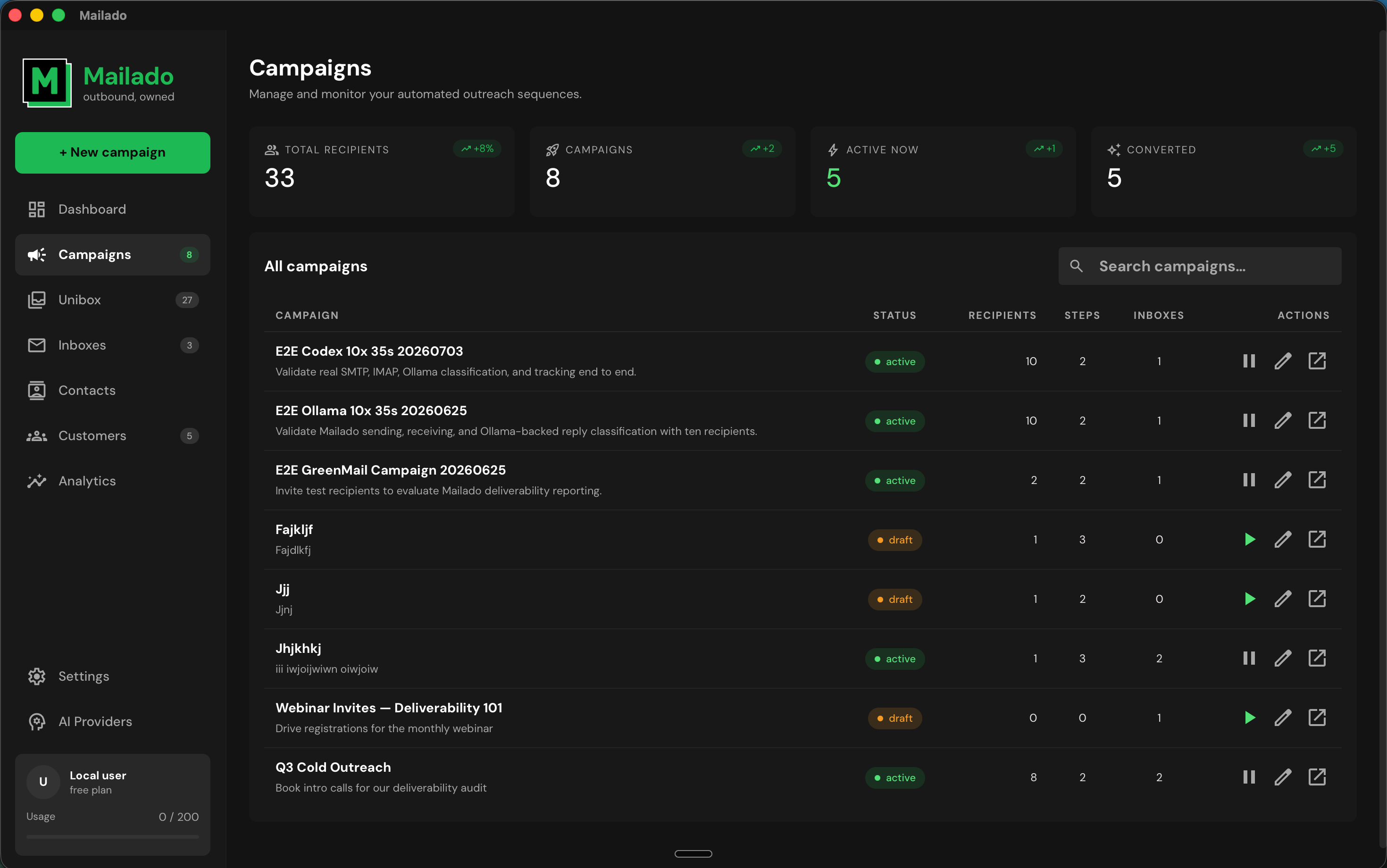
Mailado campaigns screen listing active and draft campaigns with recipient and sequence status
Campaign state remains visible from generation through delivery.
02 / UNIBOX

Work the reply, not the inbox.

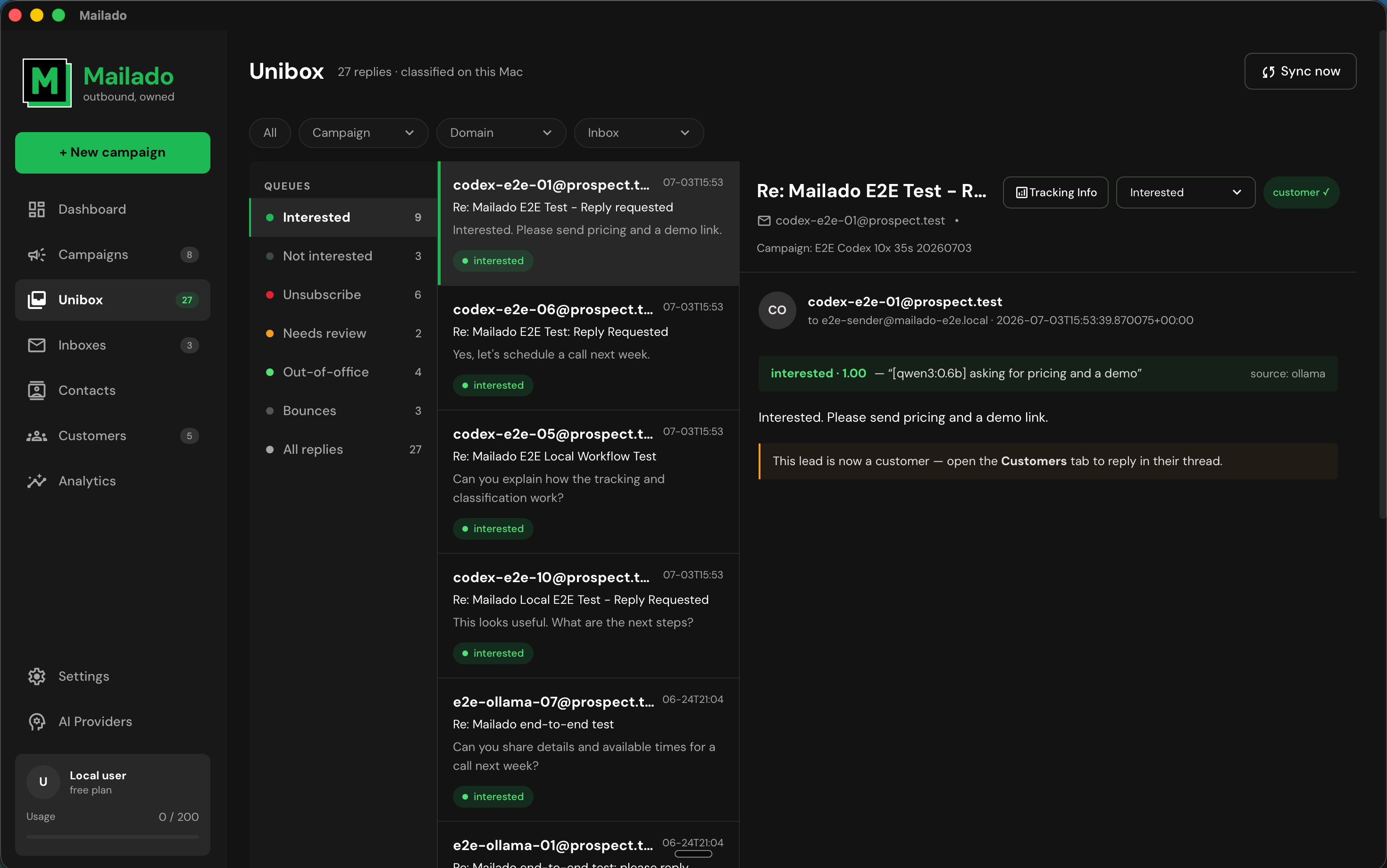
A small local model sorts replies into six queues: interested, not interested, unsubscribe, neutral, out-of-office, and bounce. The original reply body stays on your infrastructure.

  • Filter by campaign, domain, and inbox
  • Reply from the same mailbox that received the message
  • Convert an interested contact and halt the sequence
Mailado UniBox showing reply classification queues, messages, and a selected conversation
One queue across every mailbox, classified on the machine running Mailado.
03 / ANALYTICS

See the campaign as a system.

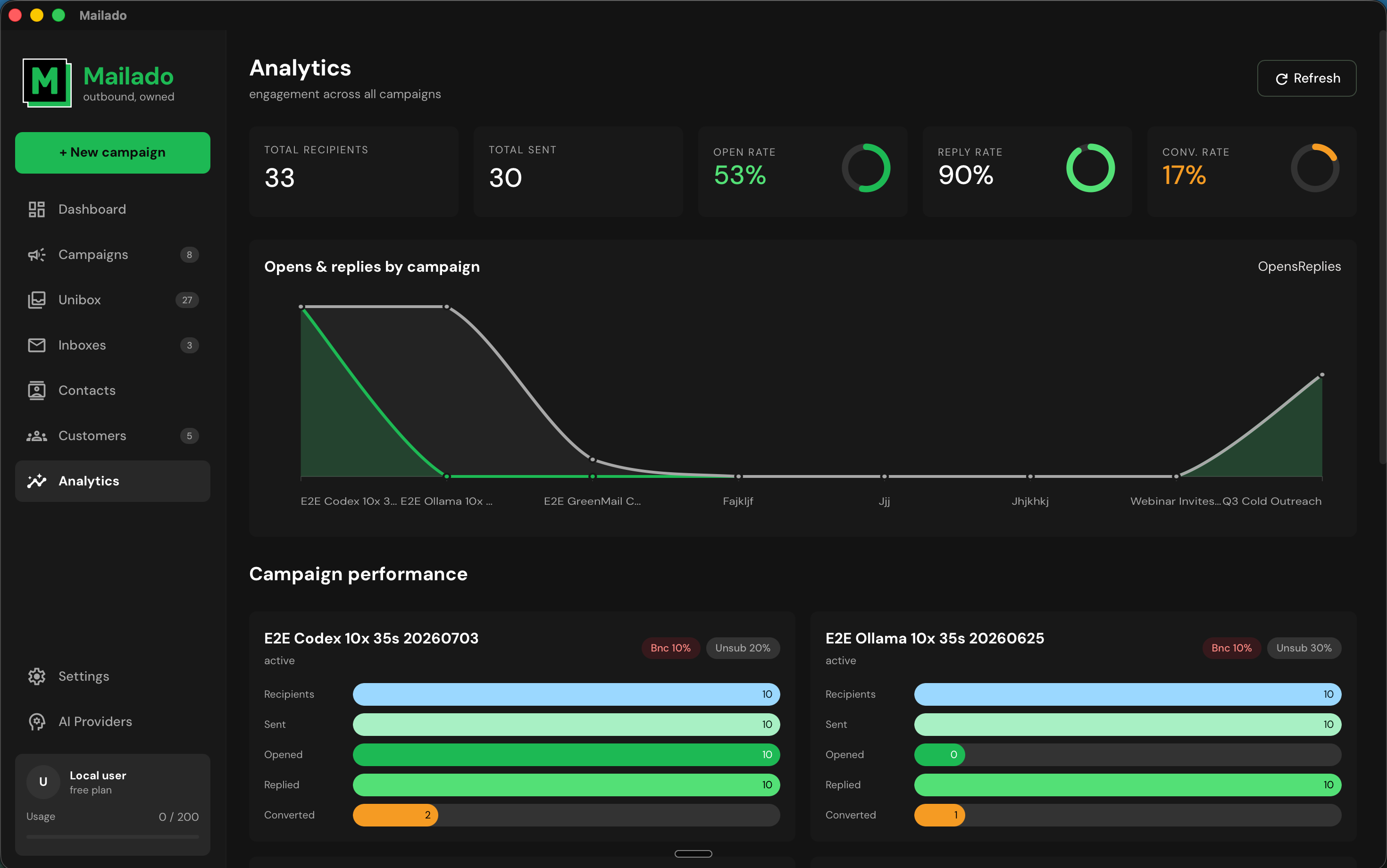
Track sends, opens, replies, and conversions by campaign. The dashboard connects message performance to inbox health so operators can act before a sending issue spreads.

  • Campaign-level performance views
  • Conversion tracking from interested replies
  • Operational health alongside engagement
Mailado analytics screen with engagement totals, campaign curves, and performance bars
Engagement and operational signals share the same view.
04 / INBOXES

Distribute volume without losing oversight.

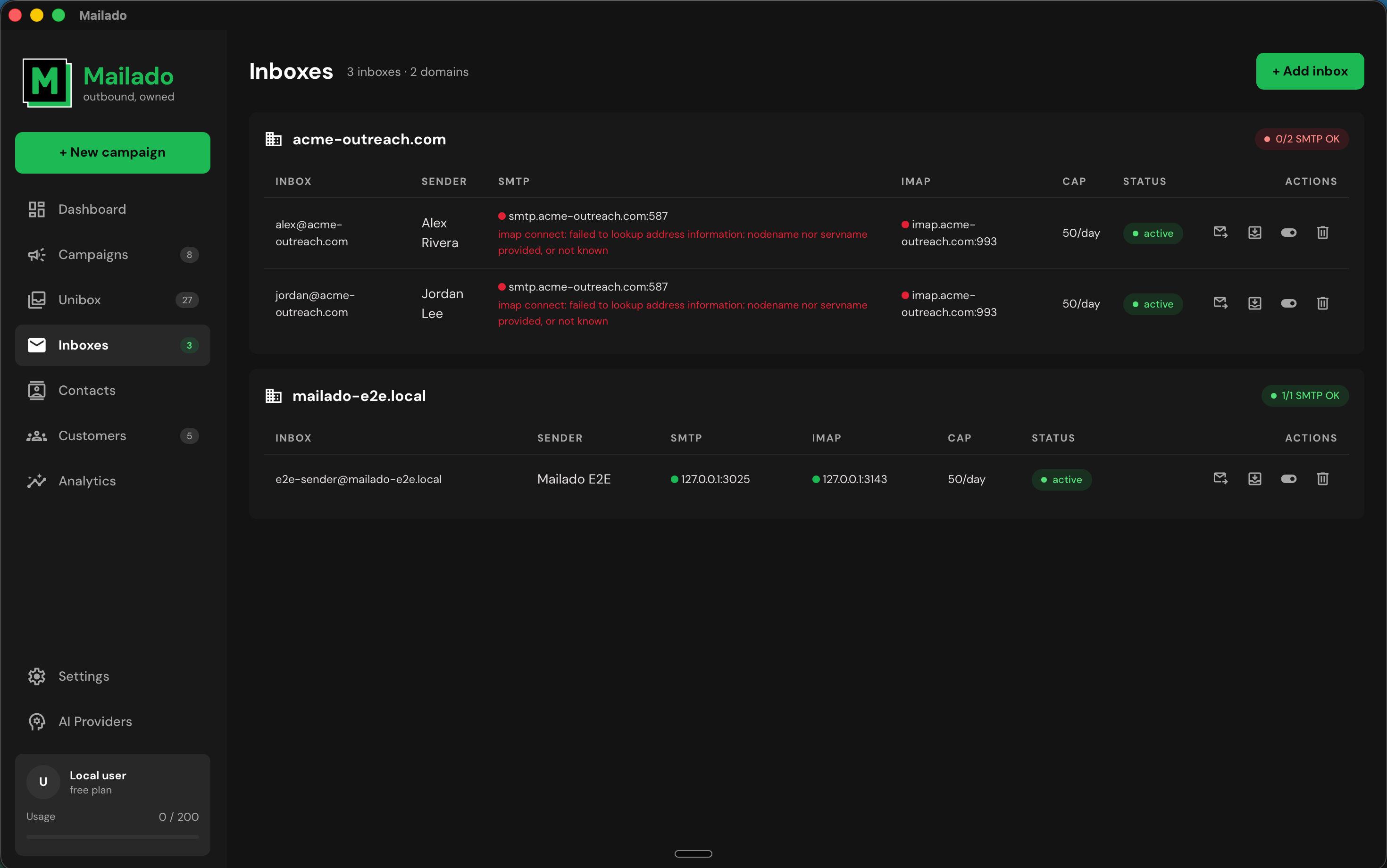
Group inboxes by domain, set individual daily caps, and test SMTP and IMAP independently. Mailado paces sends inside campaign windows instead of dumping volume at once.

  • Per-inbox daily ceilings
  • Automatic multi-inbox rotation
  • Background queue and reply sync
Mailado inbox management screen grouping sending accounts by domain with caps and connection status
Sending identity, connection state, and volume limits remain explicit.

Architecture

Cloud capability. Local custody.

Mailado runs the same Rust core inside the desktop app or headless on infrastructure your company controls.

LayerHow it runsWho holds it
Campaign dataLocal SQLite storeYour company
AI generationYour provider or local CLIYour key
Reply classificationOn-device local modelYour machine
Background operationDesktop tray or headless serverYour infrastructure

Enterprise control

Let operators send. Keep the list centralized.

Give employees and contractors access to an assigned branch of your Mailado instance without handing them an exportable copy of the contact database.

01Pair a deviceShort-lived invitation
02Assign a roleMethod-level permissions
03Revoke preciselyMember or single device
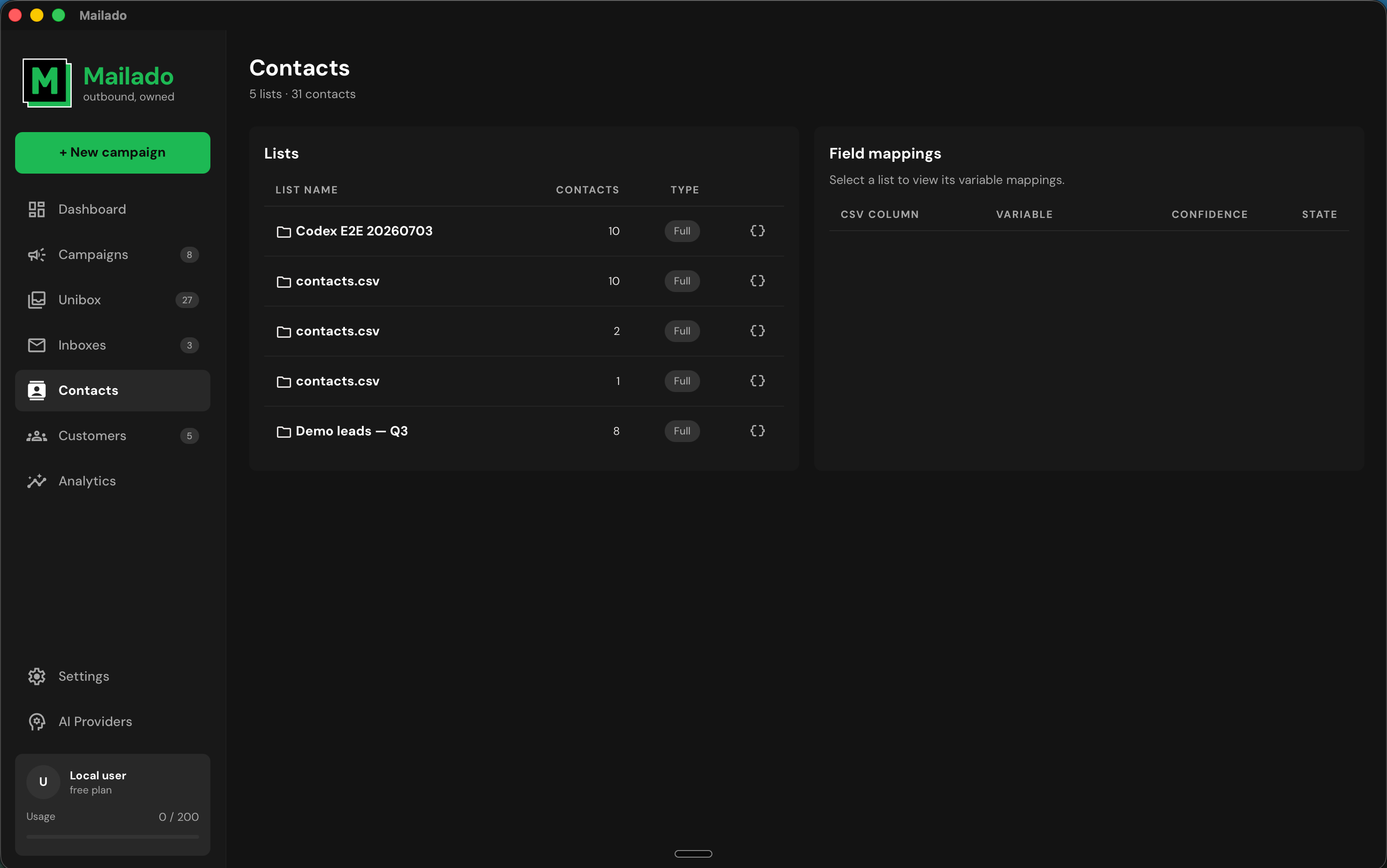
Mailado contacts screen with centrally managed lists and detected field mappings
The primary instance remains authoritative for operational data.

Technical questions

Before you connect an inbox.

Does Mailado send our data to its own cloud?

No. Contacts, credentials, AI keys, and replies live on the operator’s machine or a company-controlled server. Mailado does not need a hosted copy of the pipeline.

Can we use our existing AI provider?

Yes. Supply your own provider key, switch providers, create a fallback chain, or call a supported local agent CLI. Keys are entered and used locally.

What happens when a prospect replies?

Mailado classifies the reply locally. Actionable replies, unsubscribes, and bounces stop pending follow-ups; out-of-office replies keep the sequence active.
How does inbox warm-up work?

Mailado can schedule bounded conversations between inboxes you own and select, helping establish sending history before campaigns ramp. Warm-up does not monitor, predict, improve, or guarantee inbox placement, sender reputation, spam status, domain reputation, or deliverability.

Request a demo

Bring your outbound architecture.

Tell us how your team manages domains, inboxes, operators, and AI today. We’ll map a Mailado deployment around it.

We read every request and reply within one business day.